Saving Energy Step 5 – Bringing it together

We hope you have been enjoying our series of short posts regarding saving energy, so what we use we can sustain. We have tried to make a dry subject interesting. After you read this post please comment, and tell us how it went. We are in the environment together. As the man who wrote ?No Man is an Island? said, ?if a clod be washed away somewhere by the sea, Europe is the less? and Europe was his entire world.

The 4 Steps we wrote about previously have a multiplier effect when we harness them together

  1. Having a management system diffuses office politics and pins accountability in a way that not even a worm could wriggle
  2. This defines the boundaries for senior managers and empowers them to implement practical improvements with confidence
  3. The results feed back into lower energy bills: this convinces the organisation that more is possible
  4. This dream filters through all levels of the organisation, as a natural team forms to make work and home a better place.

None of this would be possible without measuring energy consumption throughout the process, converting this into meaningful analytics, and playing ?what-if? scenarios against each other to determine where to start.

The 5th Step to Energy Saving that brings the other four together can double the individual benefits as innovative power flows between them. The monetary savings are impressive and provide capital to go even further. Why not allow us to help you manage what we measure together.

ecoVaro turns your numbers into meaningful analytics, makes suggestions, and stays with you so we can quantify your savings as you make them. We should talk about this soon.

Contact Us

  • (+353)(0)1-443-3807 – IRL
  • (+44)(0)20-7193-9751 – UK

Check our similar posts

Disaster Recovery

Because information technology is now integrated in most businesses, a business continuity plan (BCP) cannot be complete without a corresponding disaster recovery plan (DRP). While a BCP encompasses everything needed – personnel, facilities, communications, processes and IT infrastructure – for a continuous delivery of products and services, a DRP is more focused on the IT aspects of the plan.

If you’re still not sure how big an impact loss of data can have, it’s time you pondered on the survival statistics of companies that incurred data losses after getting hit by a major disaster: 46% never recovered and 51% eventually folded after only two years.

Realising how damaging data loss can be to their entire business, most large enterprises allocate no less than 2% of their IT budget to disaster recovery planning. Those with more sensitive data apportion twice more than that.

A sound disaster recovery plan is hinged on the principles of business continuity. As such, our DRP (Disaster Recovery Plan) blueprints are aimed at getting your IT system up and running in no time. Here’s what we can do for you:

  • Since the number one turn-off against BCPs and DRPs are their price tags, we’ll make a thorough and realistic assessment of possible risks to determine what specific methods need to be applied to your organisation and make sure you don’t spend more than you should.
  • Provide an option for virtualisation to enjoy substantial savings on disaster recovery costs.
  • Provide various backup options and suggest schedules and practices most suitable for your daily transactions.
  • Offer data replication to help you achieve business continuity with the shortest allowable downtime.
  • Refer to your overall BCP to determine your organisation’s critical functions, services, and products as well as their respective priority rankings to know what corresponding IT processes need to be in place first.
  • Implement IT Security to your system to reduce the risks associated with malware and hackers.
  • Introduce best practices to make future disaster recovery efforts as seamless as possible.

We can also assist you with the following:

Succeed at Transformation

Despite the pomp and fanfare associated with launching corporate transformation programs, in reality very few of them succeed. According to a recent report by McKinsey the success rate is pegged below 40%. In addition, the same research indicates that defensive transformations – those undertaken as part of crisis management – have lower chances of success than progressive ones – those launched to streamline operations and foster growth. However, adopting certain strategies, like setting clear and high goals, and maintaining energy and engagement throughout the implementation phase, can really boost the project’s success rate. A key aspect of business transformation is IT transformation. This can be attributed to the fact that significant business change is either driven or influenced by technological change.

So what is IT Transformation?

IT transformation is basically a holistic reorganisation of the existing technological infrastructure that supports the company’s mission critical functions. In essence, IT transformation is not all about effecting change for the sake of change but involves systematic steps that align IT systems to business functions. To appreciate this approach, it is important to explore current trends in the business world where human resource, finance and IT transformations are being carried out in unison. This is being done to develop strong corporate centres that are leaner, agile and more productive that enhance greater synergies across all business functions.

IT transformation inevitably results in major changes of the information system’s technology, involving both hardware and software components of the system, the architecture of the system, the manner in which data is structured or accessed, IT control and command governance, and the components supporting the system. From this scope of works it is evident that IT transformation is a huge project that requires proper planning and implementation in order to succeed.

Tips to Improve Success in IT transformations Projects

1. Focus on Benefits not Functionality

The project plan should be more focused on benefits that can be accrued if the system is implemented successfully rather than system functionality. The benefits should be in line with business goals, for instance cost reduction and value addition. The emphasis should be on the envisaged benefits which are defined and outlined during the project authorisation. The business benefits outlined should be clear, feasible, compelling and quantifiable. Measures should be put in place to ensure that the benefits are clearly linked to the new system functionality.

2. Adopt a Multiple Release Approach

Typically most IT projects are planned with focus on a big launch date set in years to come. This approach is highly favoured because it simplifies stakeholder expectation management and avoids the complexity associated with multiple incremental releases. However, this approach misses the benefit of getting early critical feedback on functioning of the system. In addition, the long lead times often result in changes in project scope and loss of critical team members and stakeholders. IT transformation projects should be planned to deliver discrete portions of functionality in several releases. The benefit of multiple release approach is that it reduces project risks and most importantly allows earlier lessons learnt to be incorporated in future releases.

3. Capacity of the Organisation to confront Change

As pointed out, IT transformations result in significant changes in business operations and functions. Hence it is important that all business stakeholders should be reading from the same script in regards to changes expected. In addition, key stakeholders should be involved in crucial project stages and their feedback incorporated to ensure that the system is not only functional but business focused.

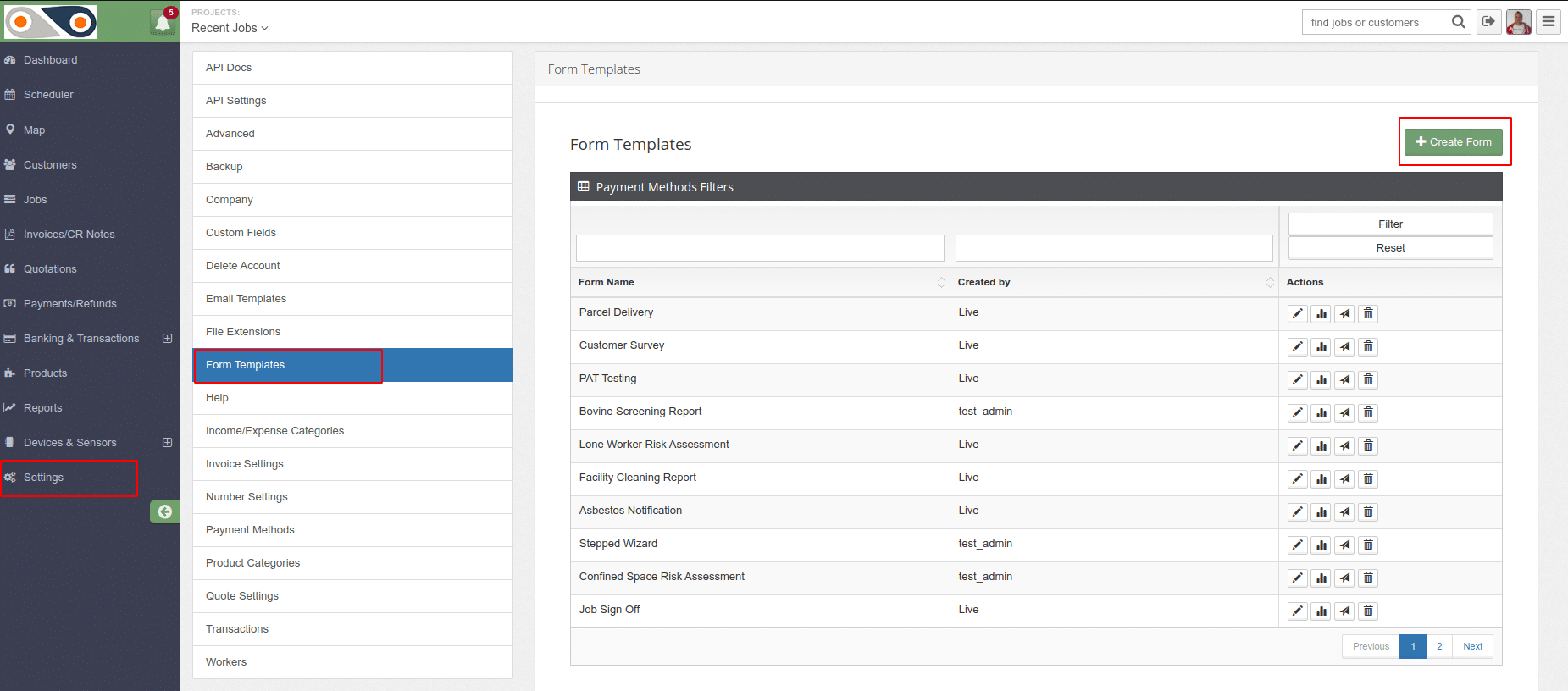
Fine-tuning your Operations and keeping our staff Happy with FieldElite

They are the engine that drives your operations, but are you really giving you value for your money? How much time is spent by your personnel on lengthy paperwork and record-keeping, as opposed to actually providing the service to your customers? Manual tasks create bottlenecks and slow your operations, which in turn affects service delivery and customer satisfaction. You want to reach more clients and boost your brand image, growing your market share and generating more revenue. Field Service Management (FSM) software comes in optimise the operations of your mobile workforce, cut down resource wastage, and enhance your productivity as a firm, by actually enabling your field staff to get more done, thus achieving their individual goals. In fact, according to a report published by Fortune Business Insights?, the global FSM market- which stood at $2.29 billion as recently as 2018, will have expanded to $7.27 billion by 2026. What does this mean for your employees, and how do they benefit from FieldElite?

  • Skipping the paperwork with end-to-end automation

Filing reports, keeping track of equipment used, working on the Excel sheets for multiple jobs on a daily basis, all through to the routing and billing- it can be a logistical nightmare. It’s not just about the hours spent poring through documents and typing away at calculators. Manual work exposes you to the risks of human error. Missing records, inaccurate assessments of the situation on the ground due to the overwhelming data streaming in, putting the head office staff under strain- it all hampers the productivity of the company. 

Take scheduling for instance. You have different employees, and various jobs that need their attention, at different locations. It can be a plumbing company whose clients have water filters that need to be repaired, gas boilers inspected, leaking pipes fixed, and others who need new installations to be set up. Assigning your personnel to the different situations will need to take into account the type of job, and the amount of time that it will require, aspects such as the location and the crew that is closest to it. At the head office you will want to keep tabs on the jobs that are in progress, pending, complete, those on hold, and even those that have been cancelled. Running all these through traditional manual processes is enough to drive you to the edge. What’s more, tasks that slip through your fingers amidst the confusion will result in negative feedback from your customers- which you don’t want hitting your brand.

With a field service job management software like FieldELite, you get to handle it all from one dashboard. Optimise your service delivery using the accurate scheduler, that allows you to account for the location of your employees, the status of the job- from the urgent ones like emergency tasks, to the normal duties such as routine maintenance, and low-priority tasks. The field service scheduling software comes with a real-time location feature that allows you to determine the employees closest to the client’s premises who will be appropriate for the job, map out the service areas and give you a birds-eye view of all the operations on the ground, while being updated with the progress of each specific task. Less time is spent travelling to- and from the central office, and more on actually tending to your client’s needs. You can even have situations where you can assign end-of-day tasks to employees who will be passing on that route on their way home.

  • Enhanced resource utilisation that promotes personal and professional development

Skill is key across the industries- from electrical services, solar panel installation, landscaping, home remodelling, pest control, plumbing, HVAC system maintenance, to construction and property management. For the job to be done appropriately and make your clients happy, you want to assign the task to an employee who is particularly proficient at it. This tends to be glimpsed over during manual scheduling since the personnel at the head office will be swamped with so many files, and will pick the first one that comes close to fitting the job description, leading to overlapping of roles. Sure, they may get it done, having seen their colleagues do it and even helping them out when they worked together before on similar projects- but will it be up to the required standard? On the other hand, the FSM allows you to ensure that you get the right technician for the task- who will be more motivated, boosting their performance.

What about accidents? Your employees want to feel safe as they go about their mandate. Many of the field service jobs are hazardous- such as electrical repair jobs, window cleaning tasks at high rise buildings, to elevator repair jobs where a slight glitch can lead to severe ramifications. Field service management software also comes in handy here, where the head office can be notified of any emergency the moment it occurs, and arrange for the necessary action to be taken immediately. That way, your employees will not feel neglected while they are out in the field, showing them that their safety is a priority to your business- which in turn increases their morale. 

  • Readily available knowledgebase and feedback system

When the employees have been assigned a specific job, they will require certain information about it. This includes the scope of the task, history of previous repairs or maintenance that was carried out, accompanying images if needed, risk assessment, any hazards or contaminants that they will need to prepare for, to notes left by technicians who had handled it. Having to keep checking their email, or picking up documents at the office for the day’s job and walking around with them all day as they tend to one customer after another, will slow things down, and not to mention frustrate them. However, the FSM system is directly accessible by the employees via app on their phones. The information needed for each specific task will thus be at their fingertips, speeding up the process and ensuring that they will be ready for each project being handled. 

While carrying out the job itself, the employees will use the very same app to update the system on how it is progressing, chat with the staff at the head office, update the inventory and even place orders for extra parts if necessary. Since mobile service management software apps like FieldElite also work in offline mode, the photos, reports and other entries that are made are collected by the app and saved on the device. Once a network connection is established, they are then updated to the central database- thus ensuring that the job can proceed regardless of the location. 

Once the job is completed, the customer input is also taken, registered in the system through their e-signature. A signoff comment included gives the customer the opportunity to indicate their experience with the job, and the feedback that they would like to provide. In case the job has not been completed, then the scheduling software kicks in, putting it in queue for another appointment to take care of the task, or resolve the issue that had caused it not to be completed the first time. The completed tasks head right to invoicing, which is also handled within the field service management platform, making it a seamless task for the head office staff.

Ready to work with Denizon?